


Ensuring Your Online Safety with Network Protection Solutions

In today’s digital world, staying safe online is more important than ever. Cyber threats are constantly evolving, and protecting your personal information, devices, and networks requires reliable security measures. This is where network protection solutions come into play. These solutions help safeguard your online activities from hackers, malware, phishing attacks, and other cyber risks.
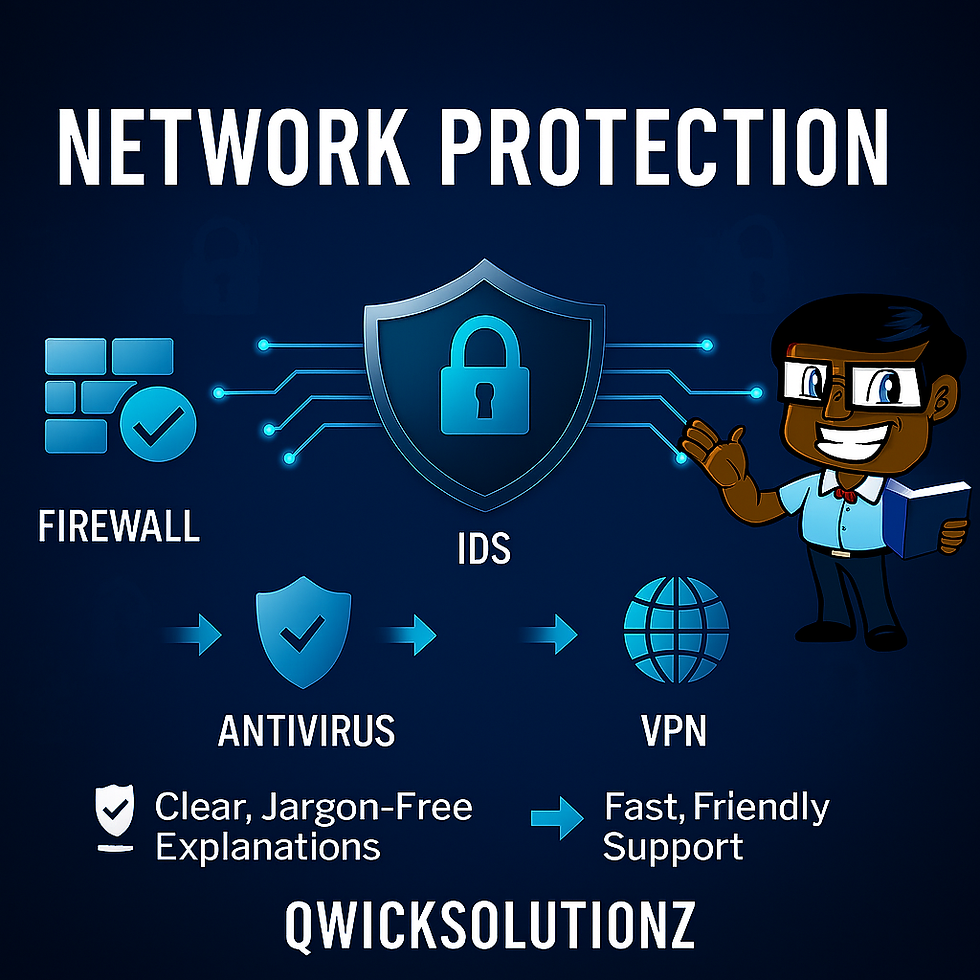
What Are Network Protection Solutions?
Network protection solutions are designed to defend your internet connection and devices from unauthorized access and cyber threats. These solutions include firewalls, antivirus programs, intrusion detection systems, and encryption tools. They work together to create a secure environment for your online activities.
Key Components of Network Protection Solutions
Firewalls: Act as a barrier between your device and the internet, blocking suspicious traffic.
Antivirus Software: Detects and removes malware such as viruses, worms, and ransomware.
Intrusion Detection Systems (IDS): Monitor network traffic for unusual activity and alert you to potential threats.
Virtual Private Networks (VPNs): Encrypt your internet connection, making it difficult for hackers to intercept your data.
Encryption Tools: Protect sensitive information by converting it into unreadable code.
By combining these tools, you can significantly reduce the risk of cyberattacks and keep your data safe.

Why Network Protection Solutions Matter
Without proper protection, your devices and personal information are vulnerable to cybercriminals. For example, hackers can steal your passwords, access your bank accounts, or install malware that damages your system. Network protection solutions help prevent these scenarios by:
Blocking unauthorized access attempts
Detecting and removing malicious software
Securing your online communications
Protecting your privacy on public Wi-Fi networks
Implementing these solutions is essential for anyone who uses the internet regularly, whether for work, shopping, or social media.
Choosing the Right Security Software
Selecting the right antivirus and network protection software depends on your devices (Windows, macOS, both), online habits, budget, and the level of protection you require.
Windows Users
Microsoft Defender is built into Windows and included with Microsoft 365 subscriptions at no extra cost. It offers real-time threat monitoring, firewall integration, phishing protection, and family safety options. Defender is lightweight, regularly updated, and has minimal impact on system resources.
macOS Users
Intego Mac Internet Security X9: Designed specifically for macOS with real-time scanning and parental controls.
Bitdefender Antivirus for Mac: Offers ransomware protection and web filtering.
Norton 360 Deluxe (Mac): Includes VPN, password manager, and parental controls.
Cross-Platform Solutions
Bitdefender: Strong malware protection and VPN.
Norton 360: Antivirus, firewall, VPN, and identity theft protection.
Kaspersky: High detection rates and privacy tools.
ESET NOD32: Lightweight with anti-phishing features.
Avast: Free version with essential protection and premium plans.
Practical Tips to Strengthen Your Online Security
Use Strong, Unique Passwords
Enable Phishing-Resistant Multi-Factor Authentication (MFA)
Keep Software Updated
Be Cautious with Emails and Links
Secure Your Wi-Fi Network
Backup Your Data
The Value of Professional Internet Security Services
Professional internet security services offer tailored solutions including:
Managed firewall and antimalware solutions
Security audits and vulnerability assessments
Employee training on cybersecurity best practices
Incident response and recovery support
Consider your specific security needs, budget, and device compatibility. Many providers offer free trials, so you can test their software before making a decision. For most Windows users, Microsoft Defender provides strong baseline protection and is often sufficient for everyday use. For Mac users, solutions like Intego or Bitdefender are excellent choices. For those needing advanced features or cross-platform support, Bitdefender or Norton 360 are highly recommended.
Why Choose Qwicksolutionz

Take Charge of Your Digital Safety
Just as you schedule regular checkups with your doctor to stay healthy, it’s wise to review your digital security on a regular basis. Cyber threats are always evolving, and even the best protection can benefit from a fresh look and expert advice.

Consider your specific security needs, budget, and device compatibility. Many providers offer free trials, so you can test their software before making a decision. For most Windows users, Microsoft Defender provides strong baseline protection and is often sufficient for everyday use. For Mac users, solutions like Intego or Bitdefender are excellent choices. For those needing advanced features or cross-platform support, Bitdefender or Norton 360 are highly recommended.

Practical Tips to Enhance Your Online Safety
Beyond installing network protection solutions, there are several practical steps you can take to improve your online security:
Use Strong, Unique Passwords: Avoid using the same password across multiple accounts. Use a combination of letters, numbers, and symbols. Consider using a password manager to generate and store complex passwords securely.
Enable Phishing-Resistant Multi-Factor Authentication (MFA): Whenever possible, use hardware security keys (such as YubiKey or built-in device authenticators) or app-based authenticators instead of SMS or email codes. Enforce MFA for all important accounts, especially email, banking, and cloud services.
Keep Software Updated: Regularly update your operating system, browsers, and security software to patch vulnerabilities that hackers might exploit.
Be Cautious with Emails and Links: Avoid clicking on suspicious links or downloading attachments from unknown sources. Phishing attacks often use fake emails to steal your information.
Secure Your Wi-Fi Network: Use a strong password for your home Wi-Fi and avoid using public Wi-Fi for sensitive transactions unless connected through a VPN.
Backup Your Data: Regularly back up important files to an external drive or cloud storage. This protects your data in case of ransomware attacks or hardware failure.

Whether you’re a home user, student, parent, small business owner, or simply want peace of mind, a professional security consultation can help you:
Identify gaps in your current setup
Learn about the latest threats and solutions
Get personalized recommendations tailored to your devices and lifestyle
Ready to take the next step?
Book a remote security consultation at your convenience using our online calendar:
A regular review of your security posture is one of the smartest investments you can make in your digital well-being. Let’s work together to keep you, your family, or your business safe and confident online.
Staying safe online is not a one-time task, it’s an ongoing commitment. By choosing the right protection for your devices, practicing smart security habits, and seeking expert guidance when needed, you’re taking meaningful steps to safeguard your digital life.


Comments